Basic Setup - User Registration Requirements
Requirements
You have the ability to require users to register when they perform certain functions. For requiring a user to Register when viewing a page please check out 'Adding Registration Popup'
For setting Registration Requirements on Listings and Searches follow these steps.
-
Log in to your WordPress Admin.
-
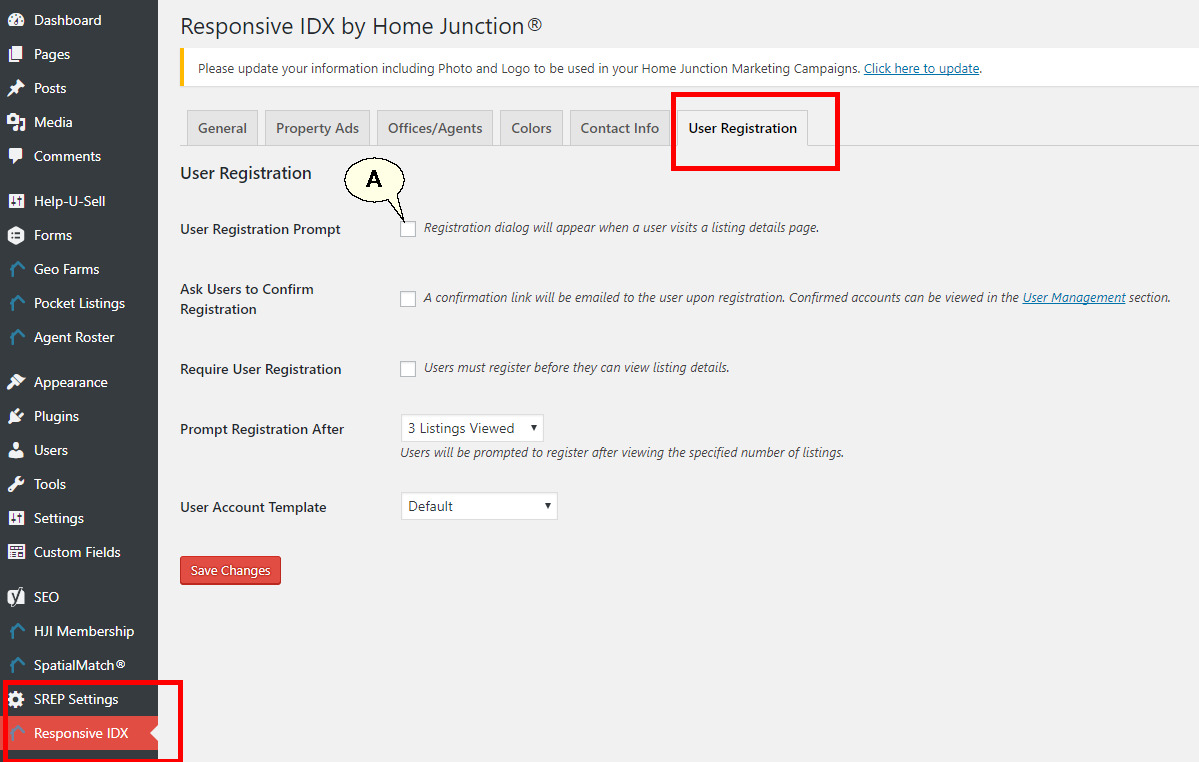
Navigate to Responsive IDX on the left menu.
-
Click User Registration tab.
-
The 'User Registration Prompt' (A) must be checked for registration options to take effect.
Removing User Registration requirements on Free Home Evaluation
-
Log into your Admin Dashboard.
-
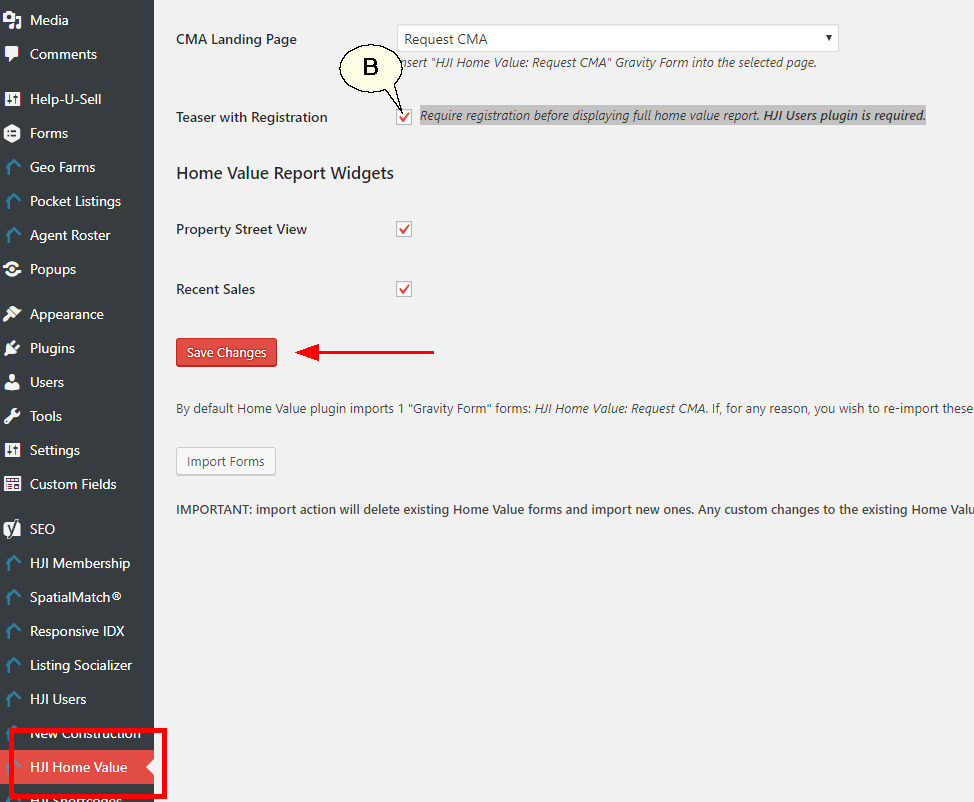
Remove the check at "Teaser with Registration" (B)
-
Remember to Save Changes when done.