Setup Arounds Target Market
To setup a target location click on the 'Arounds Setup' header. You can setup as many target areas as you like, each with their own budget and postcard.
-
Click the 'Add New Around' button towards the upper right side of the page.

-
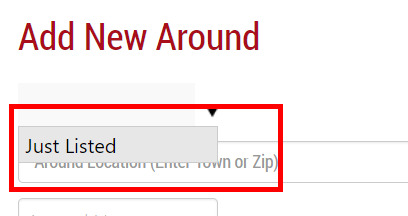
Select the type of around. Currently only 'Just Listed' types are available, later this year we will also add the ability to send around postcard to 'Just Sold' properties.
-
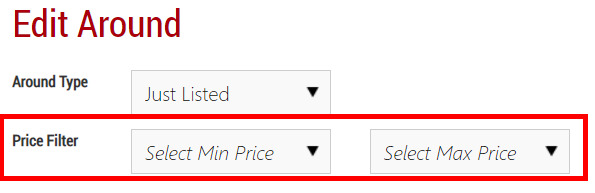
You can define the target price range as well.
-
-
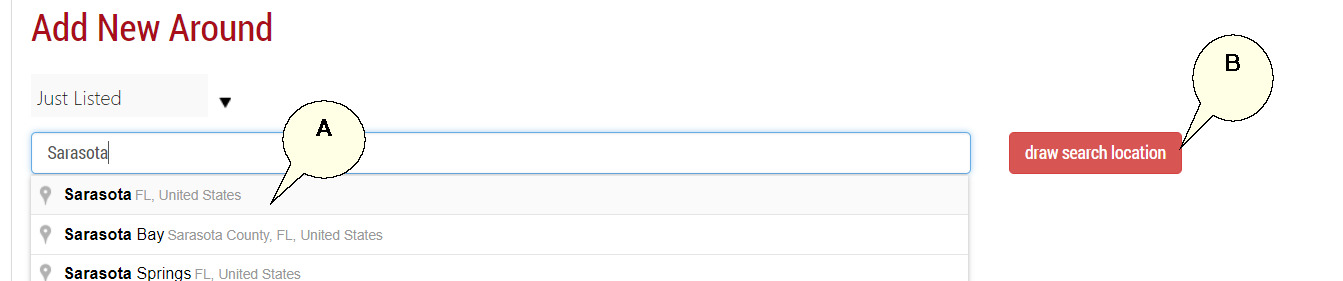
You can either target an area by city or zip using the field available and selecting from the drop down filter (A), or you can draw a polygon on a map (B).
-
Drawing a Polygon: Click the 'draw search location' button.
-
A map will load showing your current location. First zoom to the appropriate location and zoom level before starting the draw process.
-
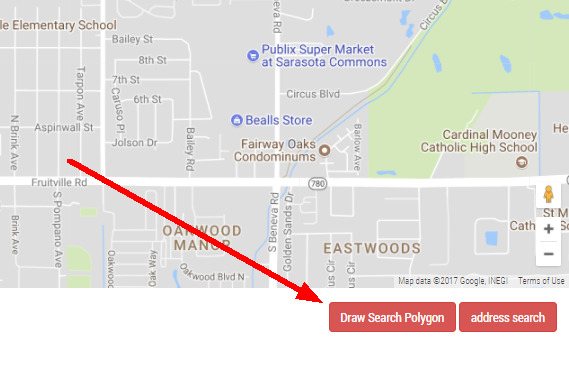
Click the 'Draw Search Polygon' button at the bottom right of the map.
-
Start by clicking your mouse at a start location, then move your mouse to the second point, usually where you want to change direction, and click your left mouse button again. Continue the process until you complete the shape.
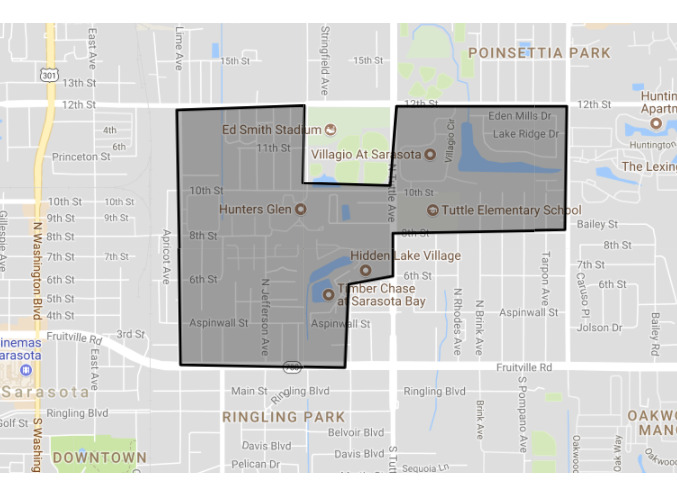
-
Complete the remainder of the settings below the map:
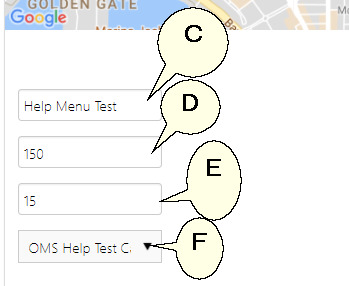
(C) Name your target location
(D) Set your monthly budget for this target location
(E) Set the number of cards you want to mail around each trigger listing
(F) Pick from the list the postcard you want to use for this target location
-
Click Save
-
You will see your new target area display in the list.

-
If you want to discontinue marketing to a target location at anytime without deleting the location, you can simply click on the green 'Yes' icon in the most left column called 'Active'.
-
You can view the trigger properties that have been send out to the printer as well as the amount of cards and cost per trigger property.
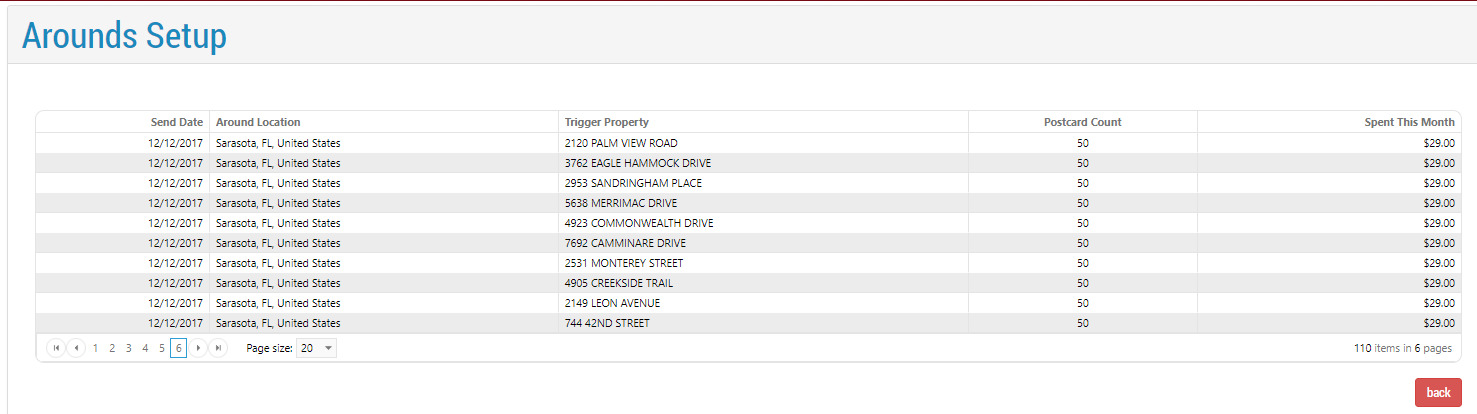
Note: Your budget is per target area and is monthly. Once your budget is reached we will stop sending triggers properties for that target location to the printer. The first of the month the budget will reset to $0 and trigger properties will resume.