Adding Non-MLS Tab to Home Search (BLVD3)
Note: This is applicable to Boulevard 3 Theme only, click here for Boulevard 4 instructions.
-
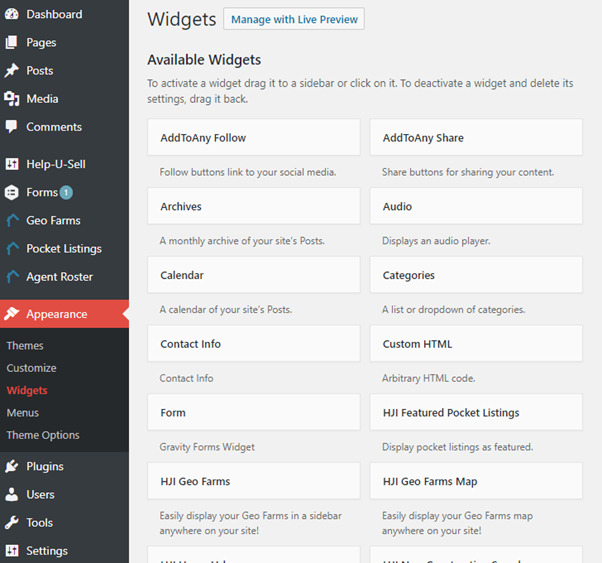
Go to Appearance and then Widgets
-
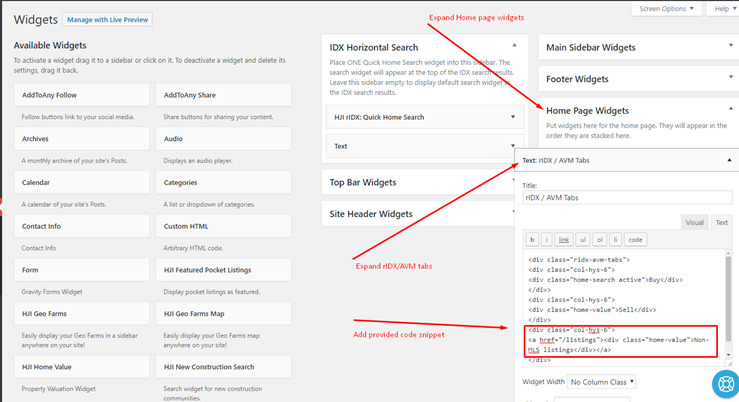
Go to Home Page Widgets then under the rIdx / AVM Tabs, toggle from the 'visual' to 'text' option and add the following snippet before the last div section:
<div class="col-hys-6">
   <a href="/listings"><div class="home-value">Non-MLS listings</div></a>
</div>
Make sure you SAVE Changes.