Basic Wordpress Setup - Leads
Leads from the WordPress template are stored in the WordPress backend as well as sent to the OMS and logged in the Leads Module.
You can create lead forms for different pages or use the basic forms already available. Leads can also come from the Home Valuation forms or from people registering to your website.
When a lead comes in, the WordPress platform will also send you an email with the lead details. The lead then gets imported to the OMS where you will receive another email when that happens.
Setting up WordPress lead email.
-
Log on to your WordPress admin account (Yoursite.HelpUSell.com/wp-admin)
-
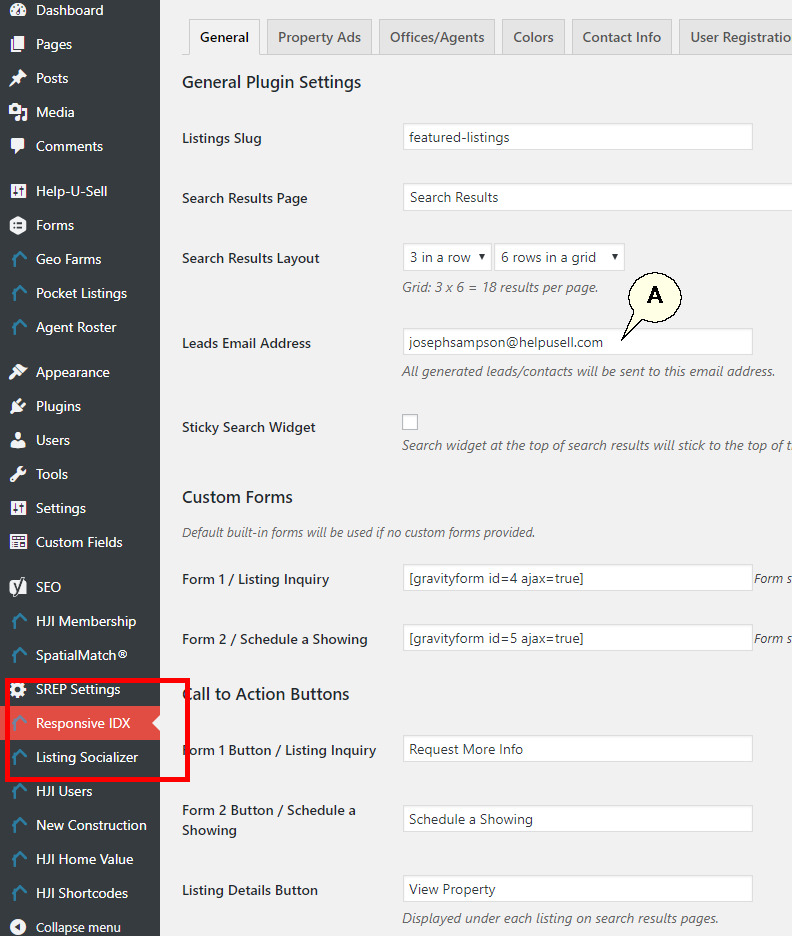
Navigate on the left menu to the Responsive IDX menu item.
-
The email address in the 'Lead Email Address' field (A) is where leads will be emailed.
-
Next you need to ensure that the email under Settings is the same as the email under Responsive IDX from above.
-
Navigate to 'Setting' on the left main menu and select the 'General' sub menu item.
-
Ensure the email here matches the email in step 3 above.
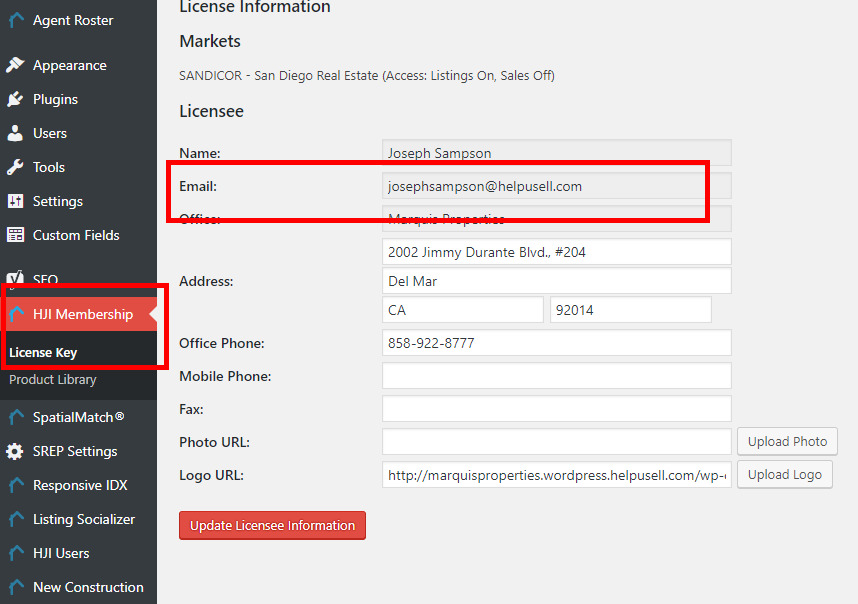
[](images/wordpress/clip0084.jpg) Interactive Map search leads are sent to the email configured in the Key Master section (Note: This can only be updated by HJI staff) -
Navigate to 'HJI Membership' in the left main menu and pick the 'License Key' sub menu.
The email in the 'Email' field will receive the leads from the Interactive Maps. This email field can only be updated by HJI staff.