Basic Setup - Creating a Blog Page
When your website launched it launches with the Help-U-Sell Corporate Blog (http://setfeeblog.com/) by default.
You can change this to either an existing Blog or start your own by following these easy steps.
Linking to another Blog page you already manage
-
Log into WordPress Admin
-
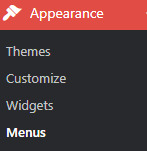
Go to Appearance then Menus on the left Navigation
-
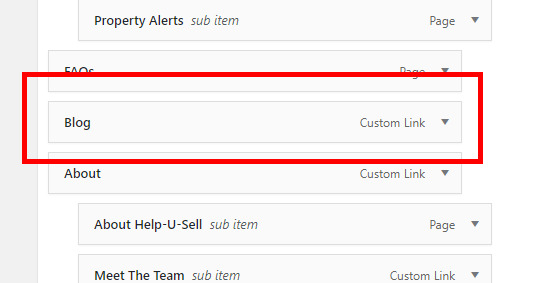
To the right scroll down the Menu List towards the bottom and find the Menu item called Blog
-
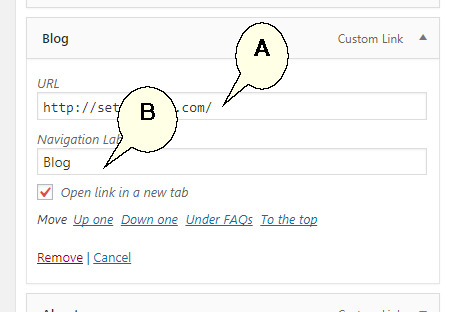
Expand the menu item by clicking on the downward pointing arrow to the right.
-
Update the URL (A) to the webpage blog you want this menu item to link too. You can also the default label for example to 'My Real Estate Blog' (B) if you want to name it differently.
-
Once happy with your changes, please remember to 'Save Menu'
Creating a new Blog Page
-
Log in to WordPress Admin
-
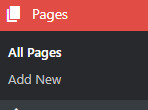
Go to Pages then All Pages in the left navigation
-
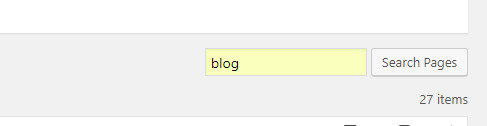
To the right, search for a page called Blog
-
If this page exists, skip to step 7, if not please continue to step 5

-
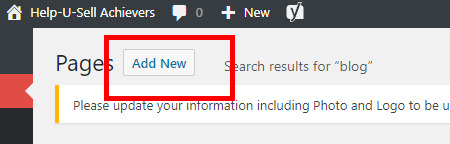
If you do not have a Blog page as illustrated above, click on Add New towards the top next to the 'Pages' header.
-
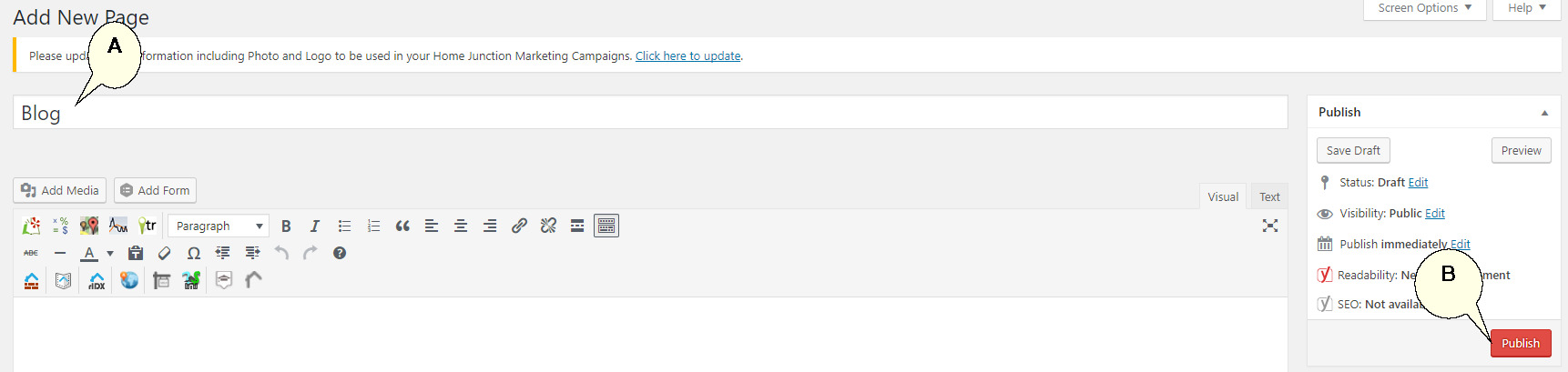
Name the new page 'Blog' (A), or any other relevant name you choose such as 'My Real Estate Blog', and click the Publish button towards the right (B).
-
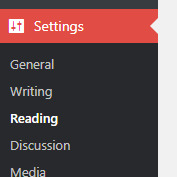
On the left main navigation, go to Settings and the select Reading.
-
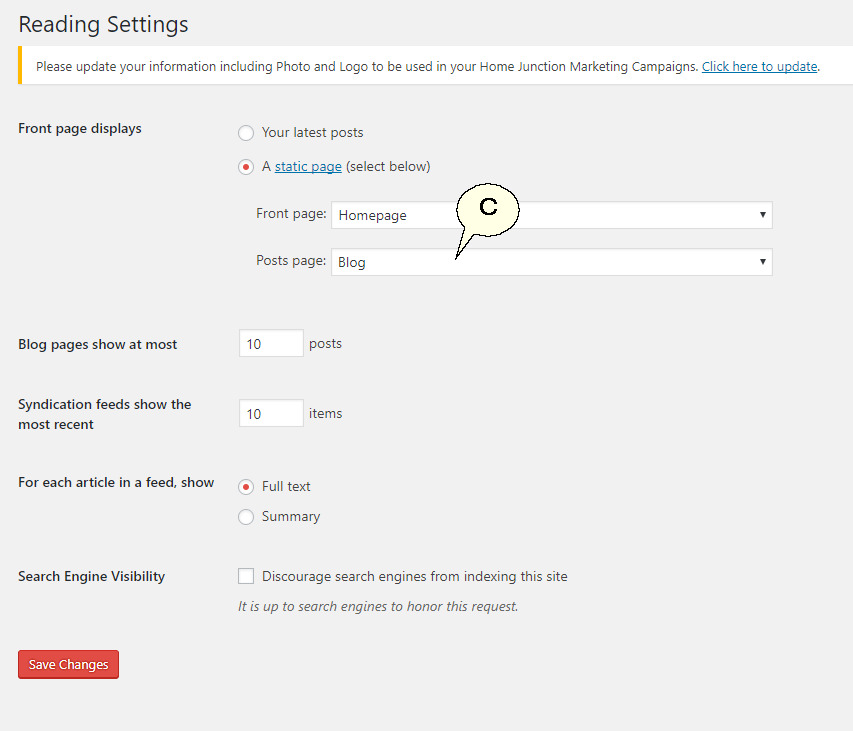
Pick the page you want to use for blog posts from the drop down list under 'Posts Page' (C).
-
You will need to add this page to your menu, to see how to add pages to your menu please click here.
To learn more about making Wordpress blog posts, click here