Merging Two Listings
This applied to the OMS when you have a none mls listing and a MLS version of the listing that imported. To merge these two listings follow these steps.
-
Go to 'View My Listings' in the OMS.
-
Clink on the NONE MLS version of the listing to enter the edit screen for the listing. Expand the 'Listing Details' Section
-
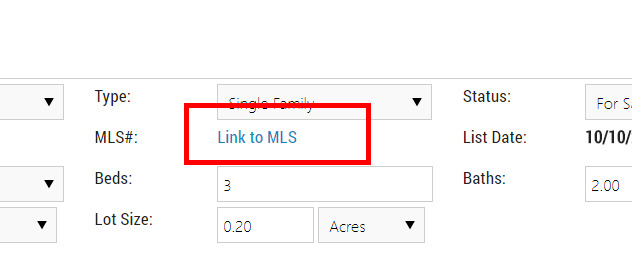
Under the MLS # field, click on the blue font 'Link to MLS'.
-
Start typing the MLS number of the listing or the address of the listing you want to merge with (A).

-
Choose whether you want moving forward keep manually updating the listing 'OMS Listing' or have the MLS update the listing 'MLS Listing'
-
Click the 'Link Listing to MLS' button to the right to complete the merge process (B).