Text Marketing
Help-U-Sell Real Estate has developed a Short Code Text Marketing System which generated sign riders on a per listing basis encouraging buyer to text a short code to a local or toll-free number to receive more information on a particular listing.
To get started you should agree to the terms of service which in short states that you will not spam phone numbers through this service and assume responsibility for the cost associated with the service.
To get started log into the OMS and navigate to the Marketing & Content Module then click on the 'Text Marketing' sub-menu.
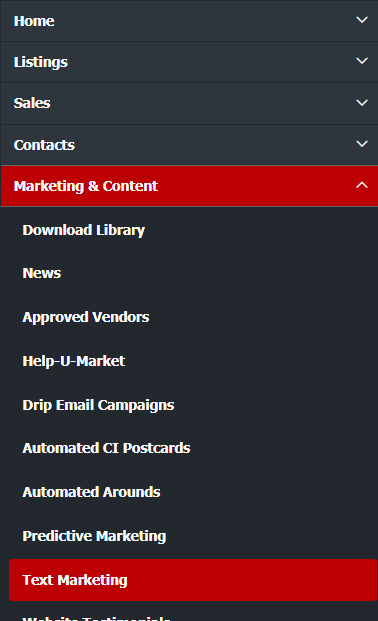
After agreeing to the 'Term of Service' your account will be active. First you will need to 'subscribe' to a local or toll-free phone number. You can lease as many numbers as you would like. Their costs are listing in the OMS when you order the numbers and they will billed monthly and added to your Admin Fee invoice every month on the 25th. The text message usage costs will also be added to this monthly invoice.
Setup a Phone Number
Navigate to the 'My Account' section then follow the steps below.
-
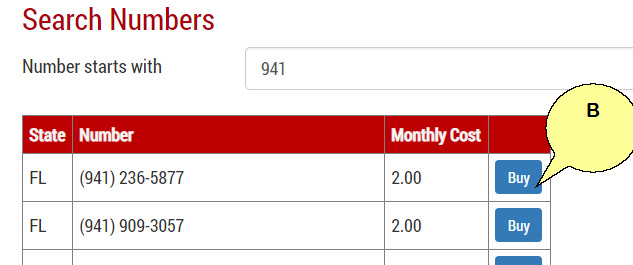
To use the short code marketing program you will need to setup a phone number. You can have multiple phone numbers which includes toll-free numbers. You cannot use one of your existing phone numbers as they are not part of the short code marketing system. To search for an available phone number in the program you can start by typing the area code for example '941', then click 'Search' (A).

-
Select a phone number from the list provided and click on the 'Buy' button (B). The cost per phone number is also displayed and is a monthly charge.
-
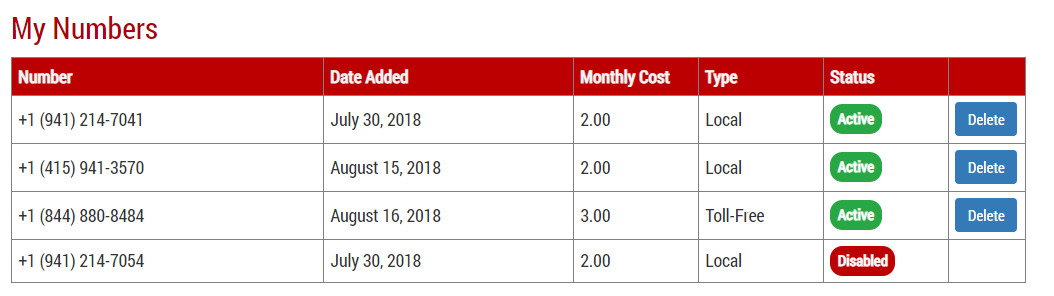
All your phone numbers can be viewed in the 'My Account' section. To remove a phone number from your account and discontinue billing of the number, click 'Delete'.
SMS Templates
SMS Template is where you can edit the text messaging being send to prospect buyers who request more information on a listing.
-
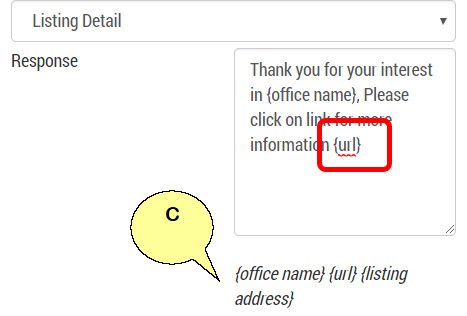
We provided you with some database code to insert in your messaging (C). Always make sure you have the {url} code somewhere in your message in order for the prospect buyer to be able to click on the link and view the listing information.
-
You also have the ability to request via text messaging the prospect's email address to email the listing information too as well. Check the box 'Request Email Address' to enable this feature.
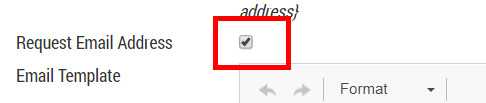
Note: Do not remove the {message} text from the email, you can move this and change the wording around it. This is where the url will be inserted for the listing.
When you have completed you editing please remember to 'Save Template'

SMS Logs
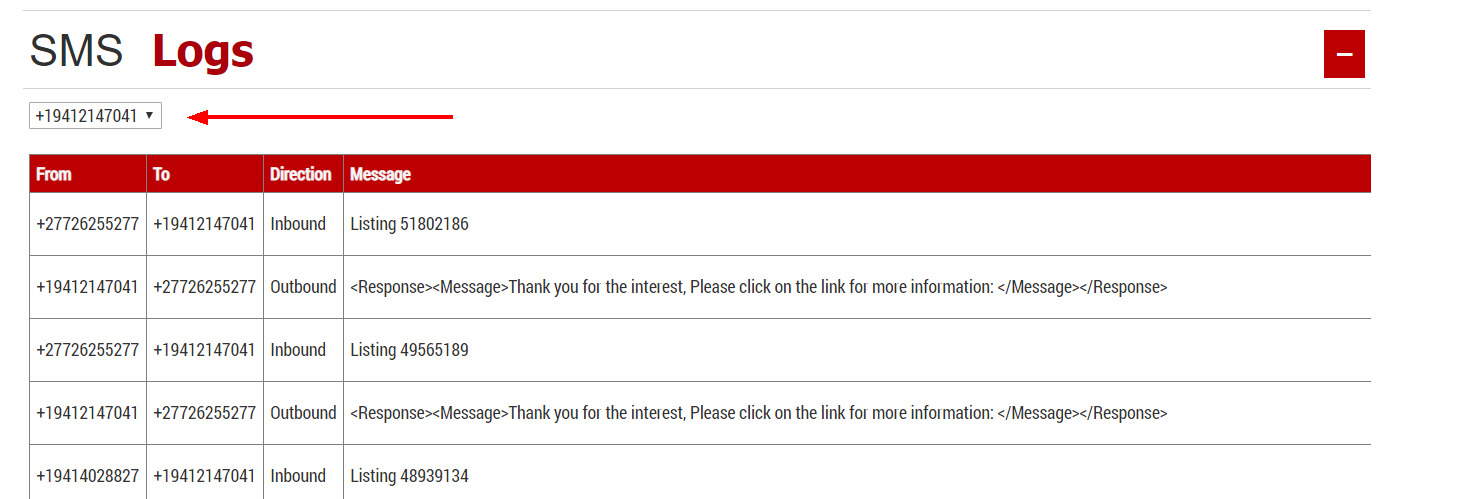
You can view the text messages sent and received under the 'SMS Logs' section. Each phone number will have its own log. Change the phone number in the drop down provided.
Sign Riders
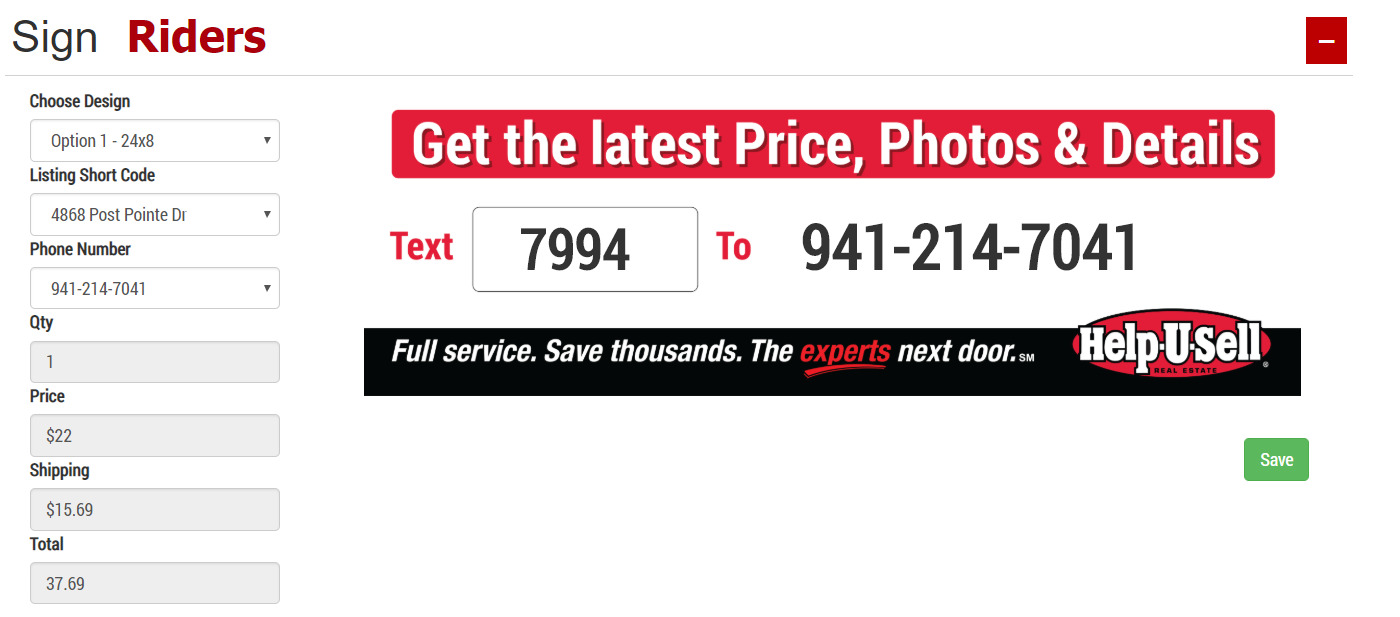
If you are not ordering a 'Seller Kit' for a listing you can create a sign rider for the listing in this section. You have the option of 2 sizes and 2 designs.
- Choose one of two sizes and two design options
- Under the 'Listing Short Code' select the listing you would like to create the sign rider for. We will add the unique 4 digit code for the listing on the sign rider.
- Select the phone number you want to associated with this listing.
- Select the quantity of sign riders you would like to order.
- Click the 'Save' button to complete your order.
My Orders
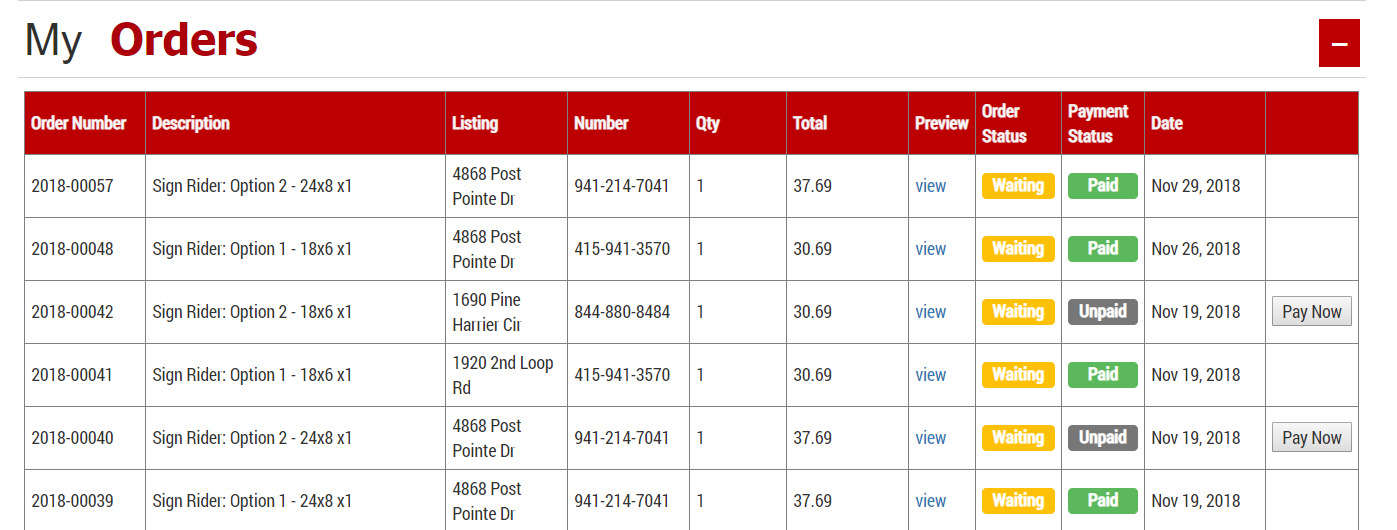
You can view the status of your order in this section: