New Web Leads
Only Admin Users have access to the New Web Leads section.
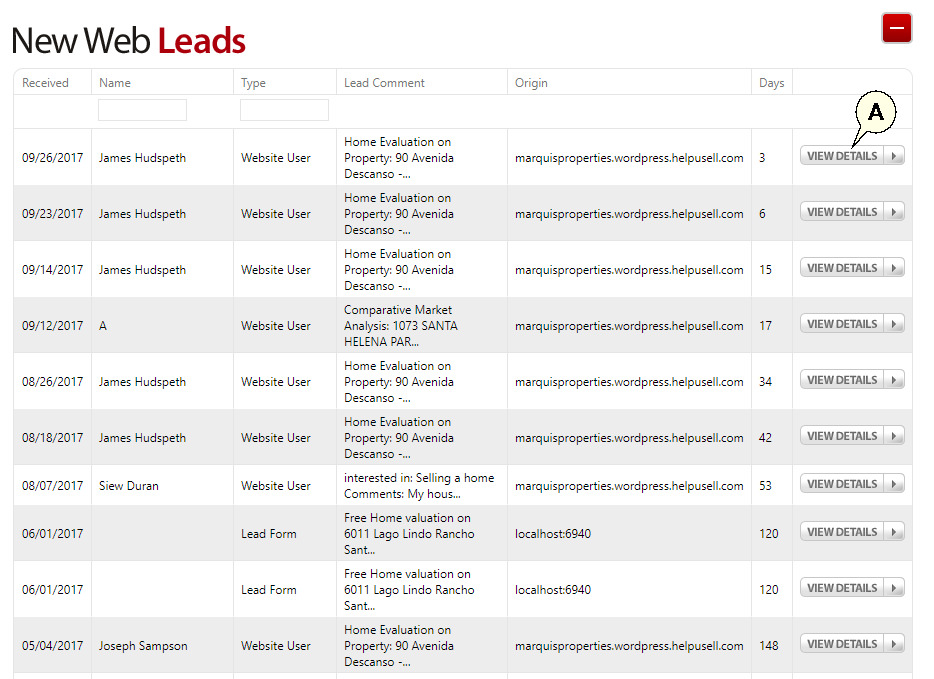
All leads captured from forms on broker sites are sent to this section. Admin users are then allowed to review the leads and determine which leads are real and which are spam. Spam leads can be deleted and viable leads can then be assigned to an agent in the office. When the lead is assigned that Agent will receive an email.
To view leads details click on the 'View Details' button (A).
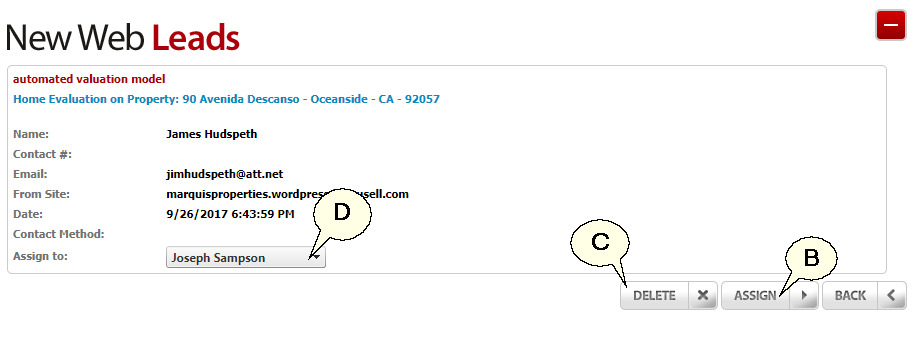
If you determined the lead to be viable you should 'Assign' (B) the lead to yourself or an agent in the office.
The agent will receive an email informing them a lead was assigned to them. By default the Assign to (C) agent will be the agent or profile viewing the lead. Once the lead is assigned it will be removed from the 'View Web Leads' section and be added to the 'Office Leads' for Admin users and 'My Leads' section for Standard users.
To delete a lead, hit the 'Delete' button (C).
To change the assigned agent, select from the (D) drop down box, pick agent and click (B) assign.