Website Testimonials
Testimonials are a crucial part of your website marketing program. It creates credibility to your marketing message and shows prospect clients that other use Help-U-Sell Real Estate and that Sellers Save Thousands.
Testimonials are added to your website via a widget that is accessible via the Website Widgets Module and can be added to any website or landing page. By default we will set your Help-U-Sell provided website up with the widget under the 'About Us' page. We encourage you to use the testimonial widget on other landing pages or home page as well. Please contact Help-U-Sell Support for more help on adding your testimonials to other pages.
Testimonials can be added to your websites either by emailing a contact in your contacts module the Testimonial request form, or by adding it manually.
Requesting Testimonials via email
-
Log into the OMS
-
Click on 'Contacts Module' and then 'My Contacts'
-
Find the contact you want to send a testimonial request email to and click on the edit link on the far right of the contact.

-
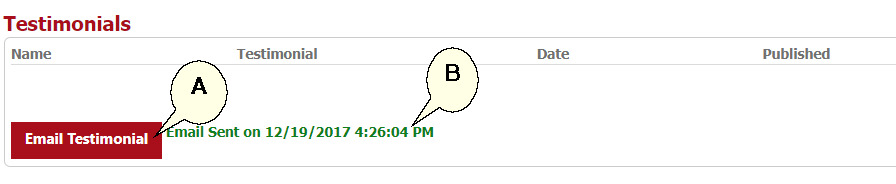
Scroll down to the 'Testimonial' section and click the red 'Email Testimonial' button (A). If the email was sent successfully, a green notice will appear to the right of the button (B).
-
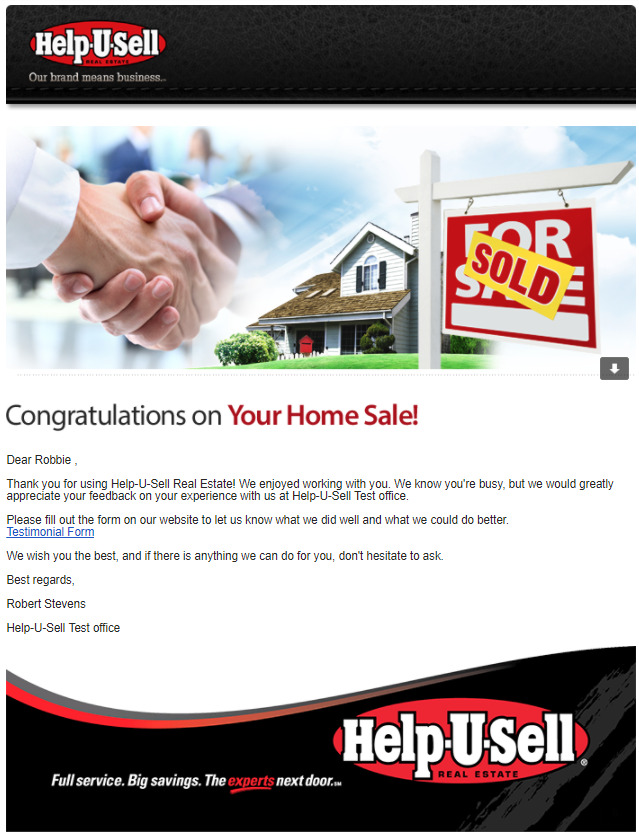
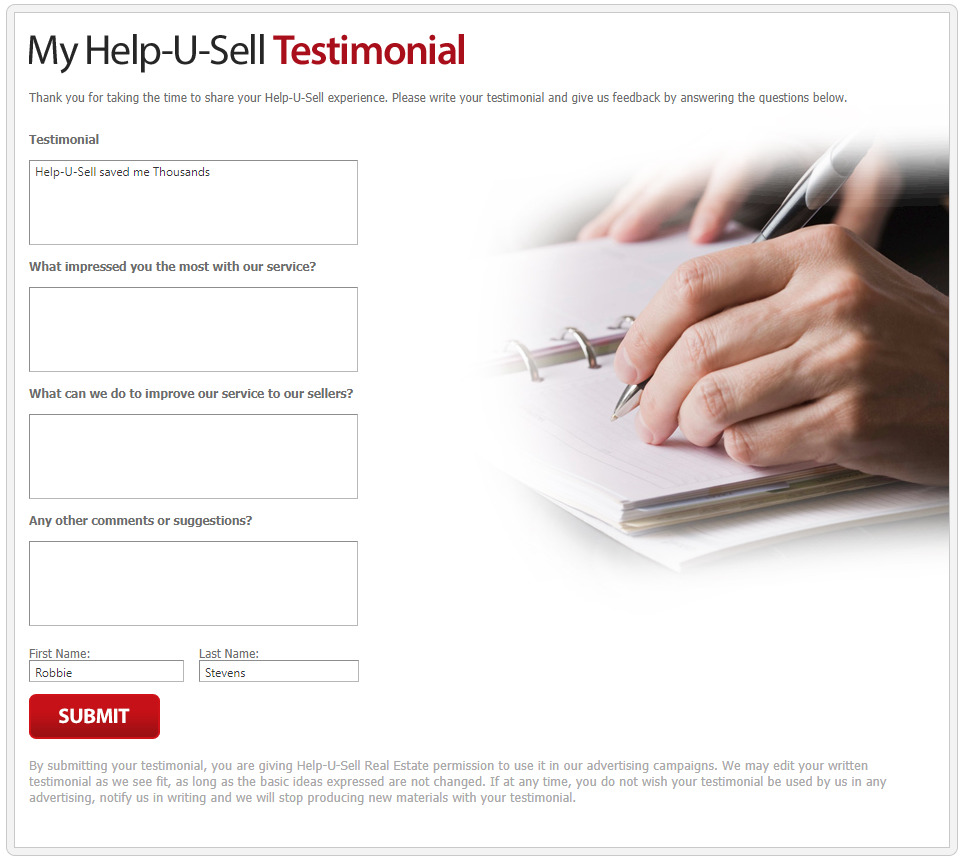
Your contact will receive an email with a link to leave a testimonial.
-
When they complete the form, the testimonial will display in the 'Testimonials' section of the contact (C), as well as in the 'Website Testimonials' module under 'Marketing and Content' (D).


-
By default, testimonials are not published live until you mark them to be published. You can also add a photo to the testimonial. If you do not add a photo the server will add a Help-U-Sell Logo in the place of the photo.
-
To edit, publish or add photos to testimonials, click the 'View Details' button:
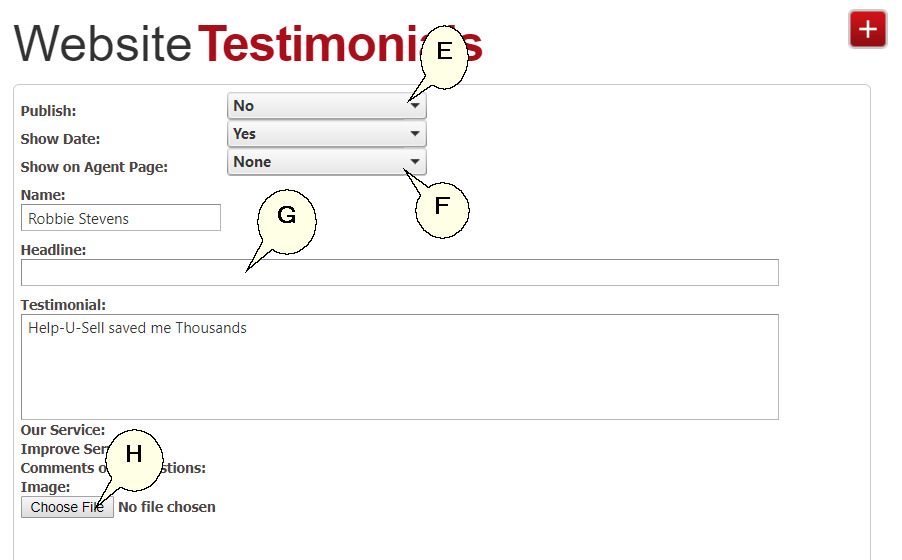
(E) Publish or remove a testimonial from your site.
(F) The show on agent page is only available on the older none Word Press sites.
(G) Add a headline for the testimonial
(H) Upload a testimonial photo
-
Remember to Save when you are done editing the testimonial.