Open House Schedule
Open House schedules will import from the MLS RETS data feeds daily to both the new WordPress as well as None WordPress Templates.
You can manually schedule Open House times in the OMS for None WordPress sites and Pocket Listings on WordPress sites.
1) Go to the Open House Schedule section when viewing a listing in the OMS.
The calendar will open up and you can select to view the calender by day, week or month.
2) Add the Open House time on the calender by clicking into the appropriate time frame.
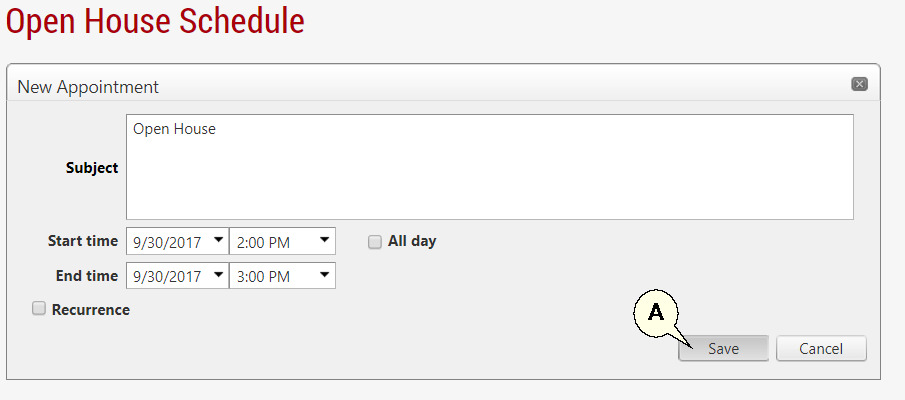
3) Complete the details in the form and click the 'Save' button (A).
4) Repeat steps 2 and 3 above to add more times to the calender for this listing.
Next Topic: Listing Syndication